
Screenshots
App details
- Updated
- Apr 18, 2025
- Language
- Catalan 15 moreLanguagesCatalanChineseCz...
- Developer
- DVDFab
- Category
- Mobile
SoftPas in:
This product is also available in the following languages:
About DVDFab Passkey
Download DVDFab Passkey – DVD, Blu-ray, unlock, region, copy, edit, manage, protection, content, data
Overview
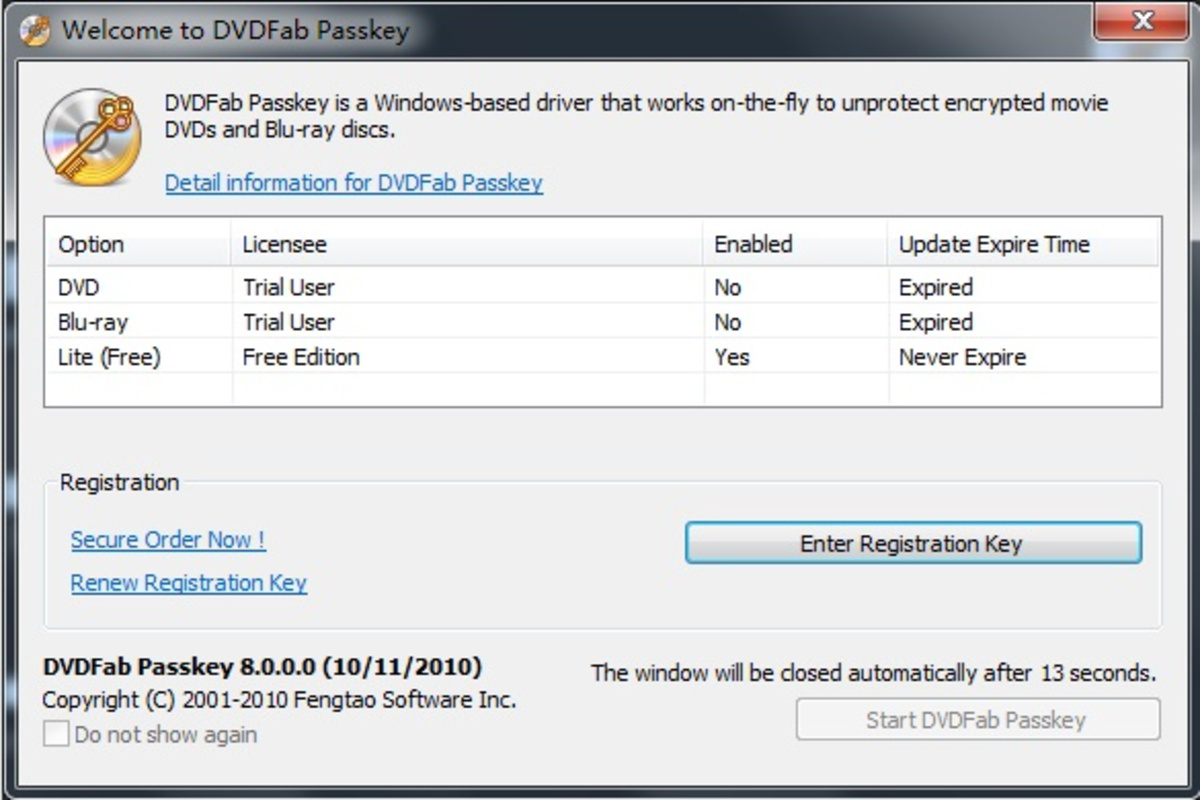
DVDFab Passkey is a mobile utility designed to assist users in unlocking and accessing protected DVD and Blu-ray content. The app enables viewers to bypass regional restrictions and gain access to data embedded within optical discs. This functionality supports a range of use cases, particularly for individuals who own physical media from different regions and wish to view or manage the content without limitations. The app is especially relevant in a digital transition era where physical disc playback can still be hindered by technical barriers such as region codes and copy protection schemes.
Target users include media enthusiasts, collectors, and individuals managing personal video libraries. While the app does not support copying or burning discs, it focuses on unlocking access and enabling content management. The developer, DVDFab, is known for its suite of media tools, though specific details about the company’s background were not provided. The app operates as a lightweight utility, with a file size of 14.2 MB, suggesting a streamlined design optimized for mobile performance.
Although the developer did not specify minimum OS requirements, the app is available on Android, indicating compatibility with a broad range of devices. The release date of April 18, 2025, positions it as a recent addition to the productivity category. Its role in the app ecosystem lies in bridging gaps between physical media and modern mobile access, offering a niche but valuable solution for users navigating content restrictions.
Key Features & Functionality
- Unlock Protection: DVDFab Passkey allows users to bypass various protection mechanisms on DVD and Blu-ray discs, including region locks and other access barriers. This enables seamless playback across devices and regions.
- Access Embedded Data: The app provides access to the underlying data stored on discs, allowing users to view or extract files that may otherwise be restricted.
- Content Management and Editing: Once unlocked, users can manage and edit specific parts of the content, offering greater flexibility in how media is used.
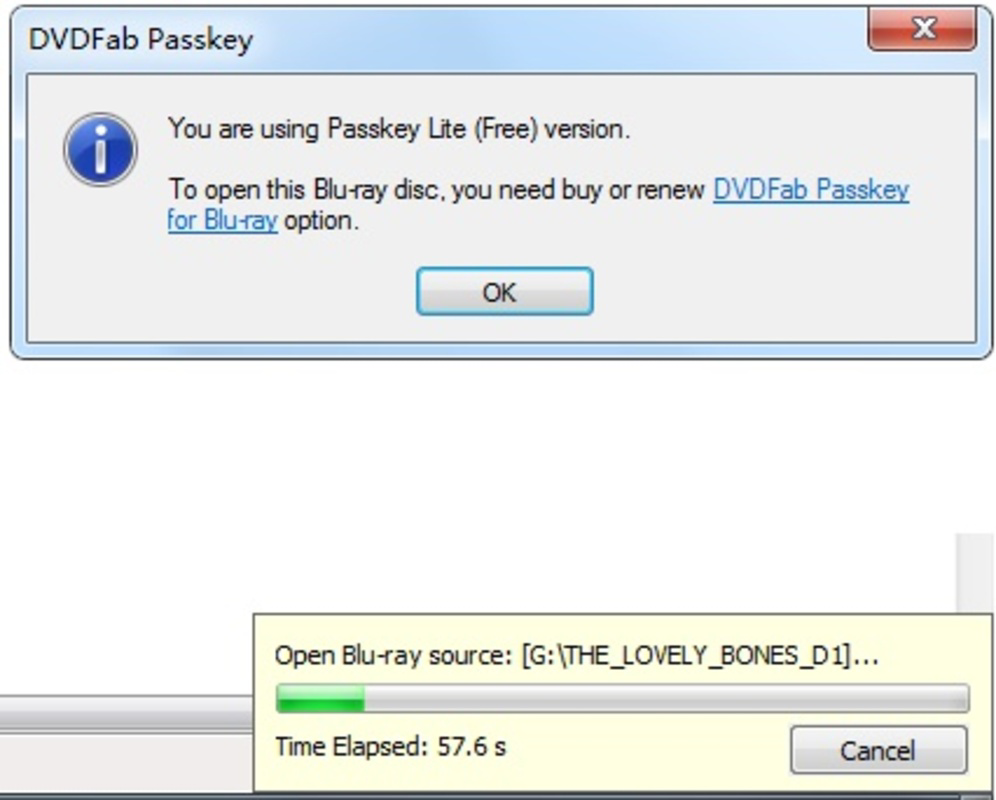
- Free Version Limitations: The free version does not support unlocking advanced protections such as CPRM, ARccOS, and RipGuard, which may restrict access to certain protected content.
- No Copy or Burn Functionality: While content can be unlocked and managed, the app does not include tools for copying or burning discs, maintaining a focus on access rather than duplication.
These features are particularly useful for users who need to view region-locked films or extract data from discs for personal archival purposes. For example, a user with a Japanese Blu-ray disc can use the app to unlock region restrictions and access the content on a non-regional device. Similarly, someone managing a personal media library may use the app to extract and reorganize video files for easier access.
Interface, UX & Performance
The user interface of DVDFab Passkey appears to be designed with simplicity and functionality in mind. Given its 14.2 MB file size, the app likely features a minimalistic layout focused on core tasks such as disc access and content unlocking. Navigation is expected to be intuitive, allowing users to initiate the unlocking process with minimal steps.
Although the developer did not list formal performance metrics, the app’s lightweight nature suggests it runs efficiently on a variety of Android devices. It is likely optimized for responsiveness, ensuring quick processing when unlocking protected content. Stability is presumed to be consistent, as the app focuses on a narrow set of tasks without complex background operations.
Users can expect smooth interactions during disc access and data extraction. However, actual performance may vary depending on the device’s hardware and the complexity of the protection scheme. The app does not require high-end specifications, making it accessible to a wide audience. The absence of known crashes or bugs was not confirmed, but the developer’s focus on a limited feature set reduces the likelihood of instability.
Platform Compatibility & Technical Requirements
DVDFab Passkey is available on the Android platform, with a software version of 1.0.0.1 and a file size of 14.2 MB. The app is offered free of charge, making it accessible to users seeking a no-cost solution for disc access.
The developer did not specify minimum OS requirements or device compatibility details. As such, it is unclear whether the app supports older Android versions or specific hardware configurations. Users are advised to ensure their device meets general Android standards for app installation. The app may not be compatible with all devices, particularly those with outdated systems or limited storage.
Given its small size, DVDFab Passkey is likely to install and run without significant storage or processing demands. However, the actual compatibility may depend on the device’s ability to read optical discs via external drives, which is not a built-in feature on most smartphones.
Pros and Cons
Pros
- Free to download and use, offering cost-effective access to protected content.
- Lightweight design with a small file size of 14.2 MB.
- Enables bypassing of region restrictions on DVDs and Blu-rays.
- Provides access to embedded data on discs for personal use.
- Focuses on unlocking and management without enabling copying or burning.
Cons
- Free version lacks support for advanced protections like CPRM, ARccOS, and RipGuard.
- Does not allow copying or burning of discs, limiting functionality for some users.
- Developer did not provide information on minimum OS requirements or device compatibility.
- Requires external disc drives for physical media access, which may not be available on all devices.
- Performance and stability details were not disclosed by the developer.
FAQ
Is DVDFab Passkey safe to install on Android?
The app is available through official channels and is free of charge. While no third-party risks were reported, users should ensure they download from trusted sources to maintain device security.
Can I use DVDFab Passkey to copy or burn DVDs and Blu-rays?
No, the app does not include copy or burn functionality. Its purpose is to unlock and manage content, not to duplicate or redistribute copyrighted material.
Does DVDFab Passkey work with all DVD and Blu-ray discs?
Not all discs are fully supported. The free version has limitations when dealing with advanced protection systems such as CPRM, ARccOS, and RipGuard.
What devices are compatible with DVDFab Passkey?
Compatibility is limited to Android devices, though specific requirements were not disclosed. Users should ensure their device supports external disc drives for optimal use.
How often is DVDFab Passkey updated?
The app was released on April 18, 2025. No information was provided about future update frequency or maintenance schedule.
Final Thoughts
DVDFab Passkey presents a focused and practical solution for users navigating the challenges of region-locked and protected optical media. Its ability to unlock content and access embedded data makes it a valuable tool for media collectors and enthusiasts who own physical discs from different regions. While the free version comes with limitations, particularly in handling advanced protections, it still delivers core functionality without cost.
The app’s lightweight design and mobile accessibility offer a convenient way to manage disc content on the go. However, its effectiveness depends on external hardware, such as USB-connected disc drives, which may not be available on all smartphones. For users seeking a secure, no-cost utility to unlock and manage DVD and Blu-ray content, DVDFab Passkey offers a compelling option.
Download DVDFab Passkey now
Guides & Tutorials
How to install DVDFab Passkey
- Click the Download button above.
- Once redirected, accept the terms and click Install.
- Wait for the DVDFab Passkey download to finish on your device.
How to use DVDFab Passkey
This software is primarily used for its core features described above. Open the app after installation to explore its capabilities.
User Reviews
No reviews yet. Be the first to share your experience.
You may also like
more
Que no te pillen¡
About !Que no te pillen¡Reviewed by Jason A. BilbreyShow MoreShow Less

3D Combat Zone
About 3D Combat ZoneOriginally released in 1983, 3D Combat Zone immerses players...

666: El día del portal
About 666: El día del portalOn June 6, 2006, Agent P. Stone uncovers a sinister...

80 in 1 Best Flash games
About 80 in 1 Best Flash games 80 in 1 Best Flash games is a collection of 80 fl...

ABYSS SEEKERーーWhat Do You See Deep in The Abyss
About ABYSS SEEKERーーWhat Do You See Deep in The AbyssIn ABYSS SEEKER, players...

ACA NEOGEO THE KING OF FIGHTERS 2002 for Windows
About ACA NEOGEO THE KING OF FIGHTERS 2002 for WindowsTHE KING OF FIGHTERS 2002,...